Designing Infographic Elements: A Visual Guide to Clarity and Impact
Understanding the Core of Infographic Element Design
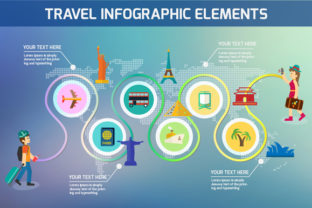
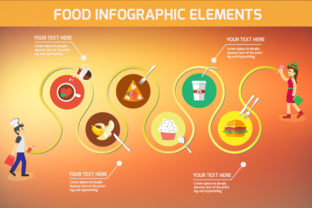
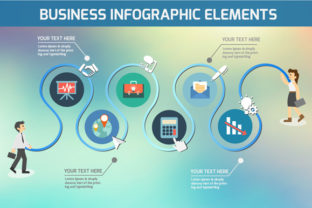
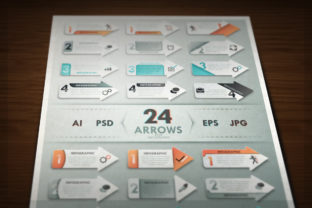
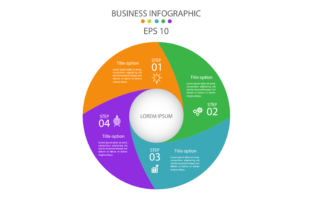
Infographic Element Design refers to the intentional creation and arrangement of visual components—like icons, charts, typography, and color schemes—to convey complex information in a simple, engaging way. These elements work together to guide the viewer's eye, highlight key points, and make data more digestible. Whether you're building a report for a client or sharing stats on social media, thoughtful design choices can turn a cluttered layout into a compelling visual story.
Why Infographic Design Matters Across Different Fields
Design isn't just about aesthetics—it's about communication. For educators, a well-designed infographic can help students grasp difficult concepts quickly. Entrepreneurs might use infographics to explain a business model to investors. Bloggers and marketers rely on them to boost engagement and shareability online. Even casual users creating content for personal projects can benefit from understanding how to effectively combine visuals and text.
Beginners and the Learning Curve
If you're new to Infographic Element Design, simplicity is key. You might start with pre-made templates or drag-and-drop tools that guide you through the process. The goal here is to learn how visual elements like spacing, contrast, and alignment affect readability. As you grow more comfortable, you'll start experimenting with custom icons, layered charts, and interactive features.
Professionals and Precision
For designers and marketers with experience, Infographic Element Design is about efficiency and impact. You might prioritize tools that offer advanced customization, integration with data sources, or compatibility with brand guidelines. Time is often a factor, so speed and reliability matter. A polished infographic that aligns with a company's visual identity can reinforce brand recognition while delivering a clear message.
Educators and Learning Tools
Teachers and trainers often use infographics to simplify complex subjects. In this context, Infographic Element Design becomes a tool for enhancing comprehension. The placement of labels, the use of color-coded sections, and the clarity of icons can all influence how well students retain information. Educators might also involve students in creating infographics, helping them develop visual literacy and critical thinking skills.
Entrepreneurs and Visual Storytelling
Business owners and startup founders need to communicate value quickly. Infographics can help explain a product, compare features, or visualize market trends. When designing elements for these audiences, clarity and persuasion are crucial. A well-structured flow, strong visual hierarchy, and a focus on key metrics can help turn a concept into a convincing argument.
Choosing the Right Design Approach Based on Your Needs
Not every Infographic Element Design needs to be complex. The right approach depends on your goals, available time, and technical skill. Here are a few practical considerations to keep in mind:
- Beginners: Focus on layout and readability. Use templates and simple tools like Canva or Google Slides to start building visual confidence.
- Marketers: Prioritize shareability and branding. Make sure your color scheme and fonts align with your company’s style guide.
- Students: Use infographics to summarize notes or compare topics visually. Keep it clean and easy to scan.
- Freelancers: Invest in tools that offer flexibility and export options. Clients often need infographics in multiple formats for different platforms.
- Hobbyists: Play with themes and personal style. Infographics can be used for everything from tracking fitness goals to planning events.
How to Evaluate Infographic Design Tools
There are many platforms that support Infographic Element Design, each with its own strengths. When choosing a tool, consider what matters most to your project:
- Learning Curve: Some tools are intuitive for new users, while others offer more depth for experienced designers.
- Cost: Free tools can be great for casual use, but premium options often include more templates, assets, and export features.
- Creativity: Look for tools that let you customize fonts, colors, and layout structures without limiting your vision.
- Speed: If you're on a tight deadline, choose a platform with drag-and-drop functionality and auto-formatting options.
- Long-Term Use: Think about whether the tool supports updates, collaboration, or reusable templates for future projects.
Infographic Design in Real-World Scenarios
Let’s take a look at how different users might apply Infographic Element Design in their daily work or personal projects:
- A Blogger: Uses infographics to break up long-form content and highlight key takeaways. They might focus on visual consistency and SEO-friendly image formatting.
- A Public Health Worker: Creates infographics to explain vaccination timelines or disease prevention tips. Accuracy and accessibility are top priorities here.
- A Freelance Designer: Balances creativity with client expectations. They may use design software like Adobe Illustrator or Figma to create high-quality, scalable visuals.
- A Fitness Coach: Builds visual progress charts or nutrition guides for clients. Simple, bold visuals help clients understand and follow routines more easily.
- A Small Business Owner: Makes infographics for social media to compare product features or showcase customer testimonials. The goal is to stand out and drive engagement.
Matching Design Choices to Your Goals
Before diving into Infographic Element Design, ask yourself a few key questions:
- What is the main message or data point I want to highlight?
- Who is my audience, and what do they care about most?
- How much time and technical skill do I have available?
- Will this infographic be used digitally, in print, or both?
- Do I need to update or reuse this design in the future?
Answering these will help you decide which elements to focus on—whether it's choosing the right chart type, selecting accessible color contrasts, or ensuring your layout works across different screen sizes.
Infographic Design as a Skill Worth Building
Whether you're a beginner or a seasoned professional, Infographic Element Design is a valuable skill that enhances how you communicate ideas. It bridges the gap between data and understanding, making complex topics more approachable and engaging. By tailoring your design choices to your audience and purpose, you can create visuals that inform, persuade, and inspire.