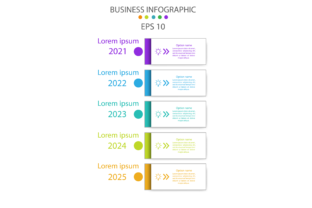
Choosing the Right Infographic Template Vector: Avoiding Common Mistakes
Understanding Infographic Template Vectors
Infographic template vectors are scalable graphic designs used to create visually engaging data presentations. Unlike raster images, vector-based templates maintain clarity at any size, making them ideal for digital and print use. People from various fields—marketers, educators, entrepreneurs, and freelancers—turn to these templates to simplify complex information and enhance visual communication.
Why People Choose Vector Templates
Vector templates offer flexibility, clarity, and ease of customization. Designers and non-designers alike appreciate the ability to edit colors, shapes, and layouts without losing image quality. Whether you're creating a social media graphic, a business report, or a classroom handout, a well-designed vector infographic template can save time and elevate your message.
Common Mistakes When Selecting or Using Infographic Template Vectors
Despite their advantages, many users unknowingly make choices that limit the effectiveness of their infographics. Here are some of the most frequent issues and how to avoid them.
1. Overlooking File Compatibility
Not all vector files are created equal. While .SVG files work well for web use, .AI or .EPS formats may be necessary for professional print design. Failing to check compatibility with your software can lead to frustration or the need for costly conversions.
Better approach: Confirm which file types your design tools support before downloading or purchasing a template. If unsure, choose platforms that offer multiple export options.
2. Ignoring Scalability Needs
Some users opt for non-vector templates, only to find their graphics pixelate when resized for posters, banners, or mobile devices. This oversight affects professionalism and readability.
Better approach: Always go for vector templates if you anticipate resizing or repurposing the infographic across different formats and platforms.
3. Underestimating Customization Limits
While many templates appear editable, some are locked or overly complex. Users often assume they can easily change colors or fonts, only to find layers that are difficult to manipulate or missing fonts.
Better approach: Preview editable elements before purchase. Look for templates with well-organized layers, editable text, and embedded fonts or font notes.
4. Choosing Style Over Substance
An attractive template doesn't always mean an effective one. Some users fall for overly decorative designs that distract from the core message or make data hard to follow.
Better approach: Prioritize clarity and hierarchy. Choose a template that guides the viewer’s eye logically through the content without visual clutter.
5. Failing to Check Licensing
Whether for personal or commercial use, not verifying the licensing terms of a vector template can lead to legal issues. Some templates require attribution, while others prohibit resale or modification.
Better approach: Always read the license agreement. For commercial projects, choose templates with clear commercial-use permissions and keep documentation.
What to Check Before Downloading or Buying a Vector Template
To ensure you're making a smart choice, review these key points before finalizing your selection:
- File format – Is it compatible with your design software?
- Editability – Can you easily change colors, icons, and text?
- Resolution – Is it truly vector-based and scalable?
- Licensing – Are there usage restrictions?
- Support – Does the seller offer documentation or help if issues arise?
- Reviews – What do other users say about usability and quality?
How Mistakes Impact Your Infographic's Success
Poor template choices can affect more than just aesthetics. Here’s how common errors ripple through your project:
- Time loss – Spending hours trying to fix an incompatible or overly complex template.
- Cost overruns – Re-buying templates or hiring a designer to fix avoidable issues.
- Miscommunication – Confusing layouts that fail to convey your message clearly.
- Unprofessional appearance – Pixelated images or clashing colors that undermine credibility.
- Legal risks – Using unlicensed templates in published or commercial content.
Practical Tips for Better Infographic Design Choices
Here are some actionable suggestions to improve your experience with infographic template vectors:
- Start simple – If you're new to design, choose clean, minimal templates that don’t overwhelm.
- Test before committing – Use free previews or sample downloads to test how easy a template is to edit.
- Consider your audience – A template for a tech startup may not suit a school presentation. Match tone and style accordingly.
- Use brand colors – Ensure templates allow color customization to align with your brand identity.
- Optimize for sharing – If publishing online, choose templates that work well in both horizontal and vertical formats.
Final Thoughts
Infographic template vectors offer a powerful way to communicate visually, but their success hinges on thoughtful selection and use. By avoiding common pitfalls and focusing on clarity, compatibility, and customization, you’ll not only save time but also create more compelling, professional results. Whether you're a beginner or a seasoned creator, taking a few extra steps before downloading can make a big difference in your final output.
Remember, the goal of any infographic is to inform and engage. The right vector template helps you do both—without unnecessary hassle or compromise.