Keynote Animated Infographics - Massive
Transform Your Presentations with Creative Infographics
Presentations are more than just slides—they're visual stories. Whether you're pitching a business idea, teaching a class, or sharing data, the way you present information matters. Keynote Animated Infographics - Massive offers a powerful toolkit to bring your ideas to life with clarity and creativity. It’s not just a template; it’s a presentation system built for flexibility, visual impact, and ease of use.
What Makes This Infographic Bundle Unique
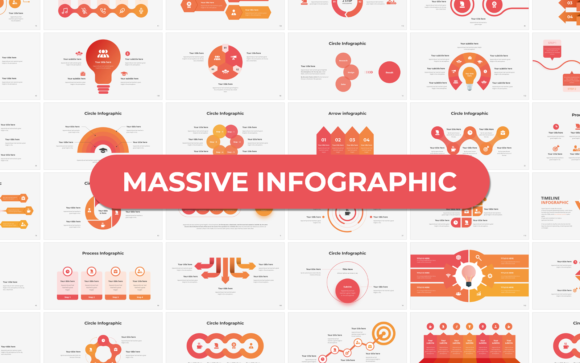
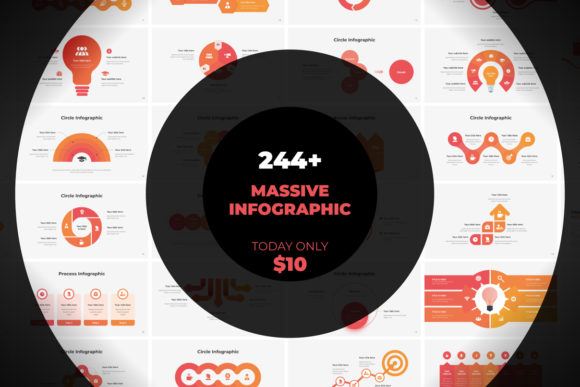
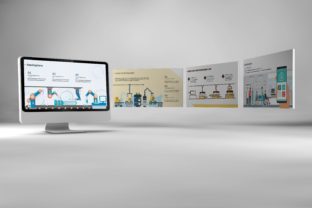
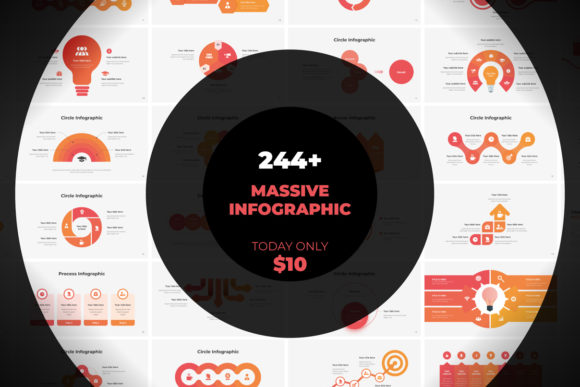
This package stands out with its blend of high-quality design and intuitive functionality. It includes 244 multipurpose slides, each crafted with minimalist layouts and smooth animations. The resolution is optimized for 16:9 screens (1920x1080px), ensuring your visuals look sharp on any display. With device mockups, over 1700 vector icons, and fully responsive slides, you get everything you need to create professional, animated presentations without starting from scratch.
Who Can Benefit from This Toolkit
Creatives, marketers, educators, and entrepreneurs can all find value in this bundle. Whether you're designing a pitch deck, a blog post slideshow, or a training module, these slides give you a strong visual foundation. The editable vector shapes and drag-and-drop compatibility make it easy to customize your content without needing advanced design skills.
How to Use These Infographics Creatively
Don’t treat these slides as static templates. Think of them as building blocks for your visual communication. Here are a few ways to put them to work:
- Data storytelling: Turn complex reports into engaging visual narratives using timeline slides, comparison charts, and animated flow diagrams.
- Educational content: Simplify learning with infographics that explain processes, break down systems, or visualize timelines.
- Marketing presentations: Use sleek, animated slides to highlight product features, market trends, or campaign performance.
- Internal communication: Make company updates, strategy sessions, or training sessions more engaging with clean, professional visuals.
Design Tips for Maximum Impact
Even with great tools, thoughtful design makes the difference. Here’s how to keep your presentations clear and compelling:
- Keep it simple: Avoid clutter. Use white space and clean layouts to let your message stand out.
- Stick to a consistent style: Use the same color scheme, fonts, and icon styles throughout your deck for a polished look.
- Animate with purpose: Don’t add motion just for effect. Use animations to guide attention or reveal information step-by-step.
- Edit ruthlessly: Less text, more visuals. If a chart or diagram can say it better, use it.
Customization Made Easy
One of the strongest features of Keynote Animated Infographics - Massive is its editability. Each slide is built with master slide options, allowing you to update fonts, colors, and layouts globally. You can drag and drop images directly into placeholders, swap out icons, and adjust animations with just a few clicks.
The package uses Google Free Fonts, ensuring your text looks consistent across devices. All elements are vector-based, so resizing doesn’t compromise quality. Whether you're working on a laptop or a tablet, the responsive design adapts to your screen and workflow.
Real-World Examples of Effective Use
Here are a few practical applications that show how versatile this toolkit can be:
- Startup pitch deck: Use sleek infographics to explain your business model, market size, and growth strategy in a visually engaging way.
- Blog post presentation: Convert long-form content into bite-sized slides for social media or speaking engagements.
- Training modules: Visualize complex workflows or training steps with animated diagrams and process slides.
- Product launch: Showcase new features with device mockups and animated transitions that guide the viewer’s eye.
Getting Started with Your Presentation
When you open the Keynote file, you’ll find a well-organized set of slides grouped by category—charts, timelines, team pages, testimonials, and more. Start by browsing the included layouts to find what matches your message. Then, replace placeholder text and images with your own content. Use the Quick Guide PDF to understand how animations work and how to customize master slides for a consistent look.
If you're new to Keynote, don’t worry. The interface is intuitive, and the drag-and-drop functionality makes it easy to build slides without design experience. Even if you're a seasoned presenter, you'll appreciate the time-saving benefits of having ready-made, high-quality slides at your fingertips.
Support and Updates
Like any professional tool, this bundle is backed by support and regular updates. If you run into issues or want to explore advanced features, the included documentation walks you through setup and customization. You can also reach out for fast, free support to get help with specific questions or troubleshooting.
Why This Matters for Your Work
In a world where attention spans are short and visual communication is key, having a strong presentation toolkit can make all the difference. Keynote Animated Infographics - Massive gives you the flexibility to create polished, professional slides without spending hours designing from scratch. It’s a smart investment for anyone who needs to communicate clearly, creatively, and confidently.
Whether you're a solo creator, part of a team, or running your own business, this bundle helps you present your ideas in a way that’s both visually engaging and easy to produce. By combining high-quality design with user-friendly features, it bridges the gap between inspiration and execution.