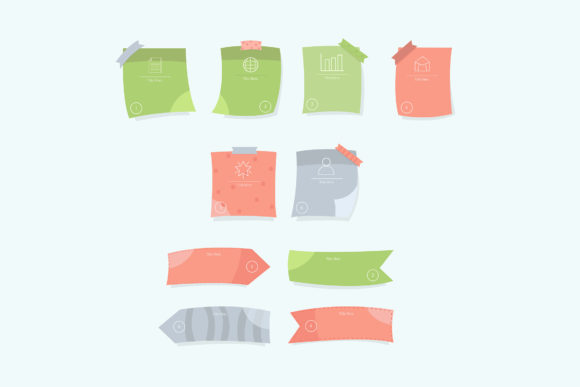
Enhance Organization and Creativity with Sticky Notes Boards Infographics
Sticky Notes Boards Infographics provide a dynamic and visually engaging way to communicate ideas, streamline workflows, and boost productivity. Whether you're managing a team project, planning an event, or brainstorming new concepts, these infographics help turn abstract thoughts into structured, actionable insights. By combining the flexibility of sticky notes with the clarity of visual design, they offer a practical solution for individuals and teams seeking to simplify complex information.
Understanding the Challenges of Visual Communication
Many professionals struggle with organizing thoughts in a way that's both intuitive and visually compelling. Traditional methods like spreadsheets or bullet-point lists often fall short when it comes to conveying relationships between ideas or tracking progress over time. Additionally, teams may find it difficult to maintain alignment when working remotely or across departments, leading to miscommunication and inefficiencies.
Sticky Notes Boards Infographics address these pain points by offering a visual framework that mimics the familiar process of using physical sticky notes on a board—but with the added benefits of digital clarity, scalability, and shareability. This format allows users to map out processes, assign tasks, and visualize timelines in a way that's both interactive and easy to understand.
How Sticky Notes Boards Infographics Can Help
At their core, Sticky Notes Boards Infographics are tools for simplifying complexity. They enable users to break down large projects into manageable components, identify key action items, and track progress in real time. For example, a marketing team planning a product launch can use a sticky notes board to outline campaign phases, allocate responsibilities, and monitor key performance indicators—all within a single visual space.
These infographics are particularly effective for brainstorming sessions. Instead of relying solely on verbal discussions or linear note-taking, team members can contribute ideas visually, creating a collaborative canvas that evolves in real time. This approach encourages participation, reduces the risk of overlooked ideas, and ensures that everyone is on the same page.
Practical Applications Across Industries
Sticky Notes Boards Infographics have broad applicability across various fields. In education, teachers can use them to outline lesson plans, track student progress, and present complex subjects in digestible formats. In healthcare, professionals can map out patient care plans or coordinate team schedules. In tech and software development, agile teams can visualize sprint backlogs, user stories, and workflow dependencies.
For entrepreneurs and small business owners, these infographics serve as a powerful planning tool. Whether it's mapping out a business strategy, outlining a customer journey, or designing a product roadmap, the visual layout helps clarify goals and identify potential roadblocks early on.
Key Features to Consider When Using Sticky Notes Boards Infographics
- Customizability: Choose templates that allow for easy editing and personalization to suit your specific needs.
- Scalability: Opt for formats like EPS10 that maintain quality at any size, making them ideal for both digital and print use.
- Visual Hierarchy: Use color coding, icons, and spacing to guide attention and improve readability.
- Integration: Ensure compatibility with common project management tools or presentation software for seamless workflow integration.
Getting the Most Out of Your Infographic
To maximize the impact of your Sticky Notes Boards Infographics, start by defining your goal. Are you trying to explain a process, track progress, or gather feedback? Once you have a clear objective, structure your content around that purpose. Avoid overcrowding the board—focus on clarity and simplicity to keep your audience engaged.
When presenting to a group, walk through the infographic step by step, highlighting key points and encouraging discussion. This approach not only ensures understanding but also invites collaboration and new insights. If you're working with a remote team, consider using digital tools that allow real-time editing and annotation so everyone can contribute regardless of location.
Different Users, Different Needs
How you use Sticky Notes Boards Infographics will depend on your role and objectives. A project manager might use them to outline timelines and delegate tasks, while a UX designer might rely on them to map out user flows or brainstorm interface ideas. Educators can use them to create interactive lesson plans, and marketers can visualize campaign strategies or customer personas.
For individual users, these infographics serve as personal planning tools—helping to organize daily tasks, set long-term goals, or break down complex projects into manageable steps. Teams, on the other hand, can benefit from the collaborative aspect, using the boards to align on priorities and track shared objectives.
Choosing the Right Format: Why EPS10 Works
When selecting a file format for your Sticky Notes Boards Infographics, EPS10 offers several advantages. As a vector-based format, it ensures crisp visuals at any scale, making it ideal for presentations, posters, or digital dashboards. The EPS10 format also supports layers and editable elements, allowing for easy customization without compromising quality. Whether you're designing for print or digital use, EPS10 provides the flexibility and clarity needed to create professional-grade infographics.
Implementing Sticky Notes Boards Infographics in Your Workflow
Integrating Sticky Notes Boards Infographics into your daily or weekly planning can significantly enhance clarity and productivity. Start by identifying a recurring task or project that could benefit from visual organization. Choose a template that aligns with your goals, and customize it to reflect your specific needs. Over time, refine your approach based on what works best for your team or personal workflow.
Don’t be afraid to experiment with different layouts or color schemes. The goal is to create a visual aid that not only communicates information clearly but also inspires action and engagement. Regularly revisiting and updating your boards ensures they remain relevant and useful as projects evolve.
Final Thoughts
Sticky Notes Boards Infographics are more than just a visual tool—they're a practical solution for anyone looking to improve communication, streamline planning, and foster collaboration. Whether you're working solo or with a team, these infographics offer a flexible and intuitive way to transform ideas into actionable strategies. By leveraging the right format, such as EPS10, and focusing on clarity and usability, you can create powerful visuals that support your goals and drive results.